Skip to content
Available on the App Store

Your workout,
shouted out loud.

Voice-guided HIIT & Tabata interval timer — no more peeking at the clock. ShoutyTimer calls every cycle, every rest, every rep.
Download on the App Store
Loved by athletes & speech therapists
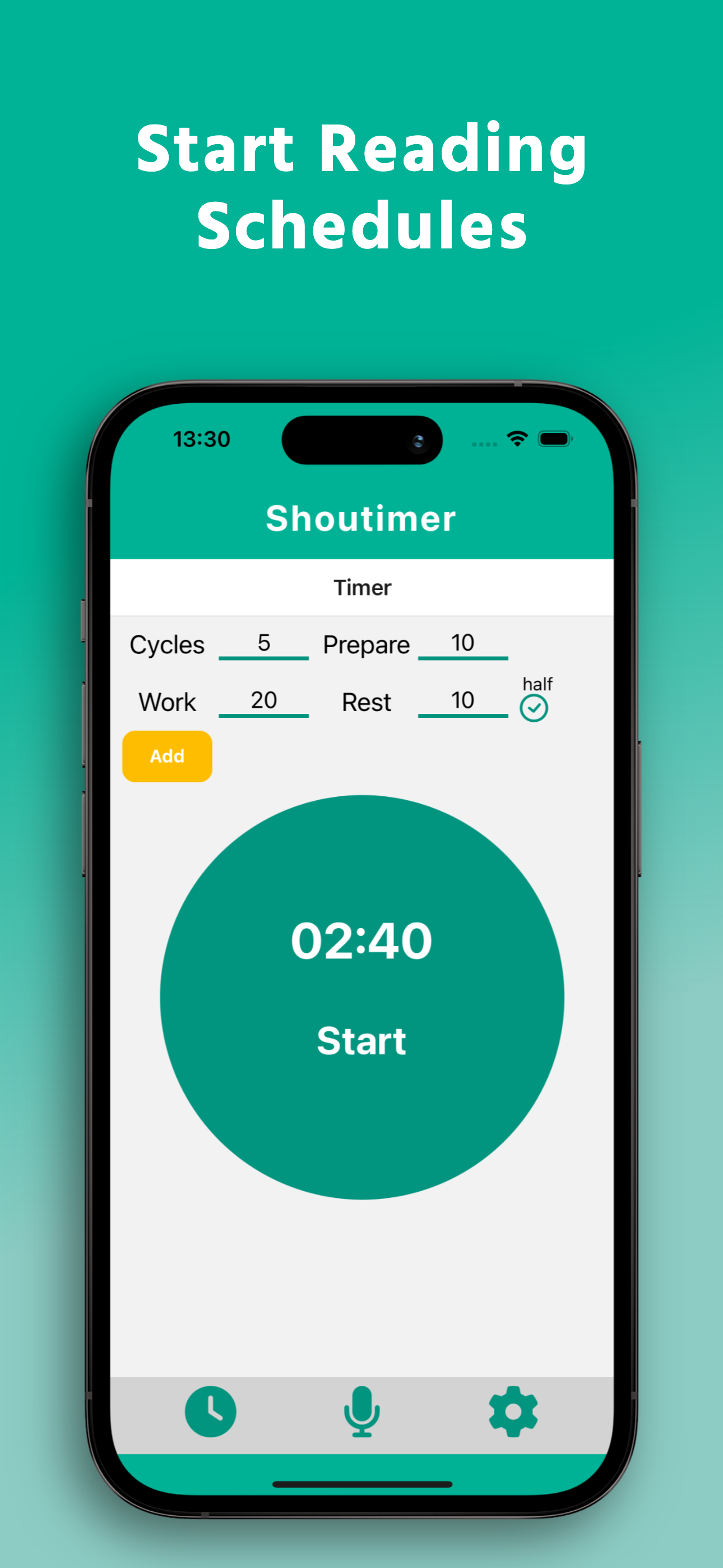
Reading Schedules screen
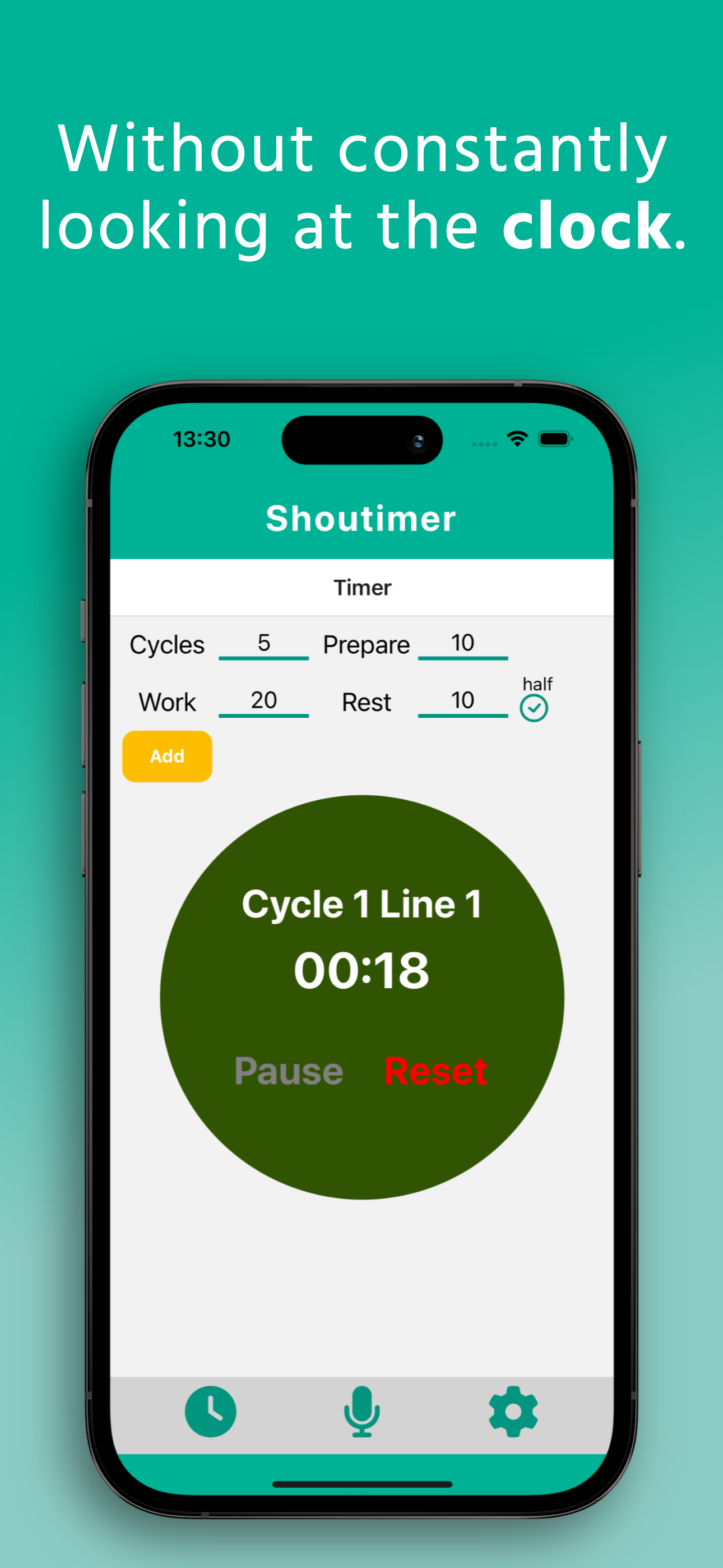
Active timer screen
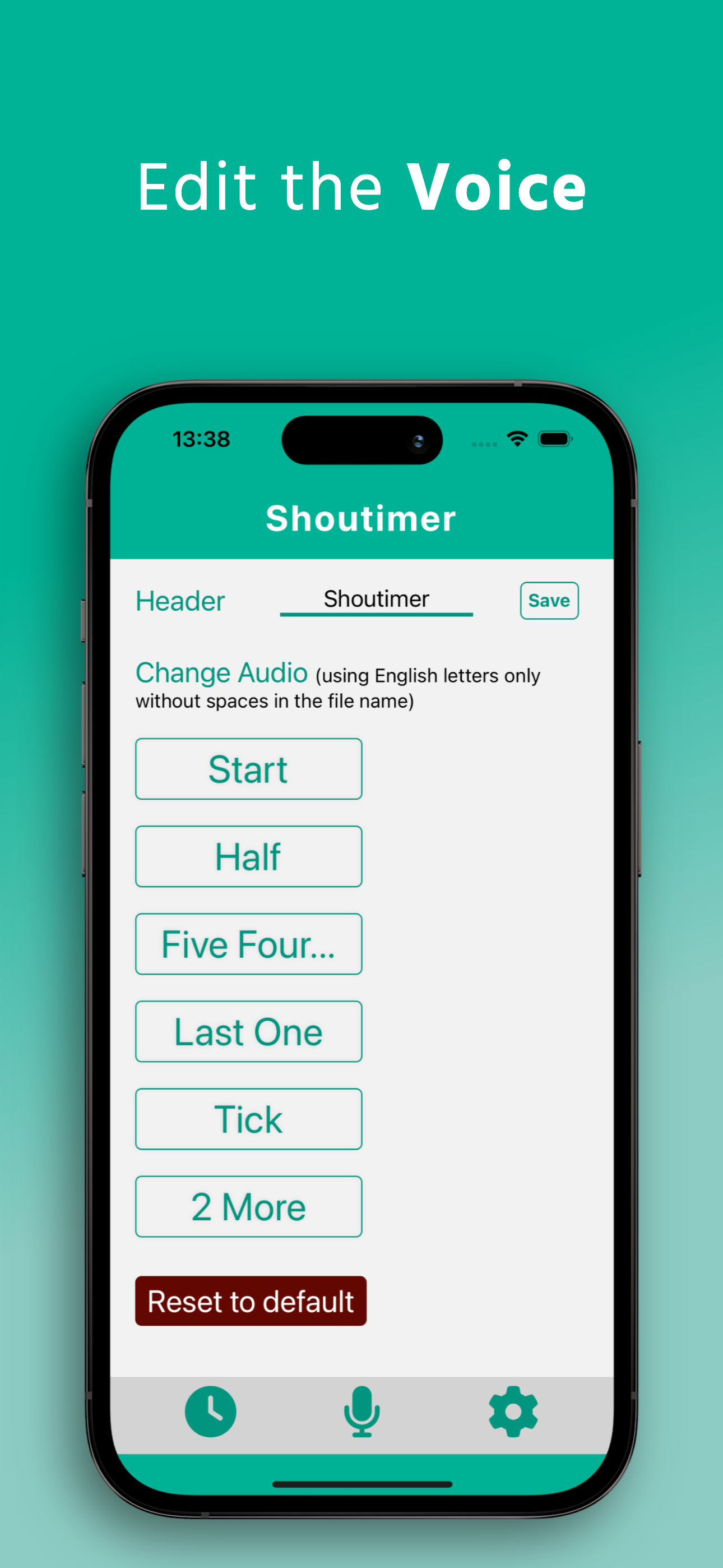
Edit Voice screen

Everything you need for smarter interval training

Set it, start it, and just move. ShoutyTimer announces every phase so you never lose focus.

Reading Schedules
Configure cycles, prepare time, work and rest durations. The timer reads your full schedule out loud — hands-free from start to finish.
Voice Announcements
Hear "Cycle 1 Line 1 — 00:18" spoken at each phase. Stay fully focused on your training, not your screen.
Custom Audio
Replace any cue — Start, Half, Five-Four countdown, Last One, Tick, 2 More — with your own audio files.
Manage Repetitions
Microphone mode lets you set cycles, rest cycles, times and rest — perfect for speech therapy and language practice.

See it in action

A clean interface that gets out of your way so you can focus on the work.

Reading Schedules
1Schedules

Build your routine in seconds

Configure cycles, prepare time, work and rest durations. Queue multiple blocks in sequence — ShoutyTimer reads them all aloud.

Active timer screen
2Hands-free

Without looking at the clock

Hear every cycle, rest, and rep called out by name. Put your phone down and stay locked into your set.

Edit Voice screen
3Custom voice

Sound exactly like you want

Swap any cue — Start, Half, Five-Four countdown, Last One, Tick, 2 More — with your own audio files.
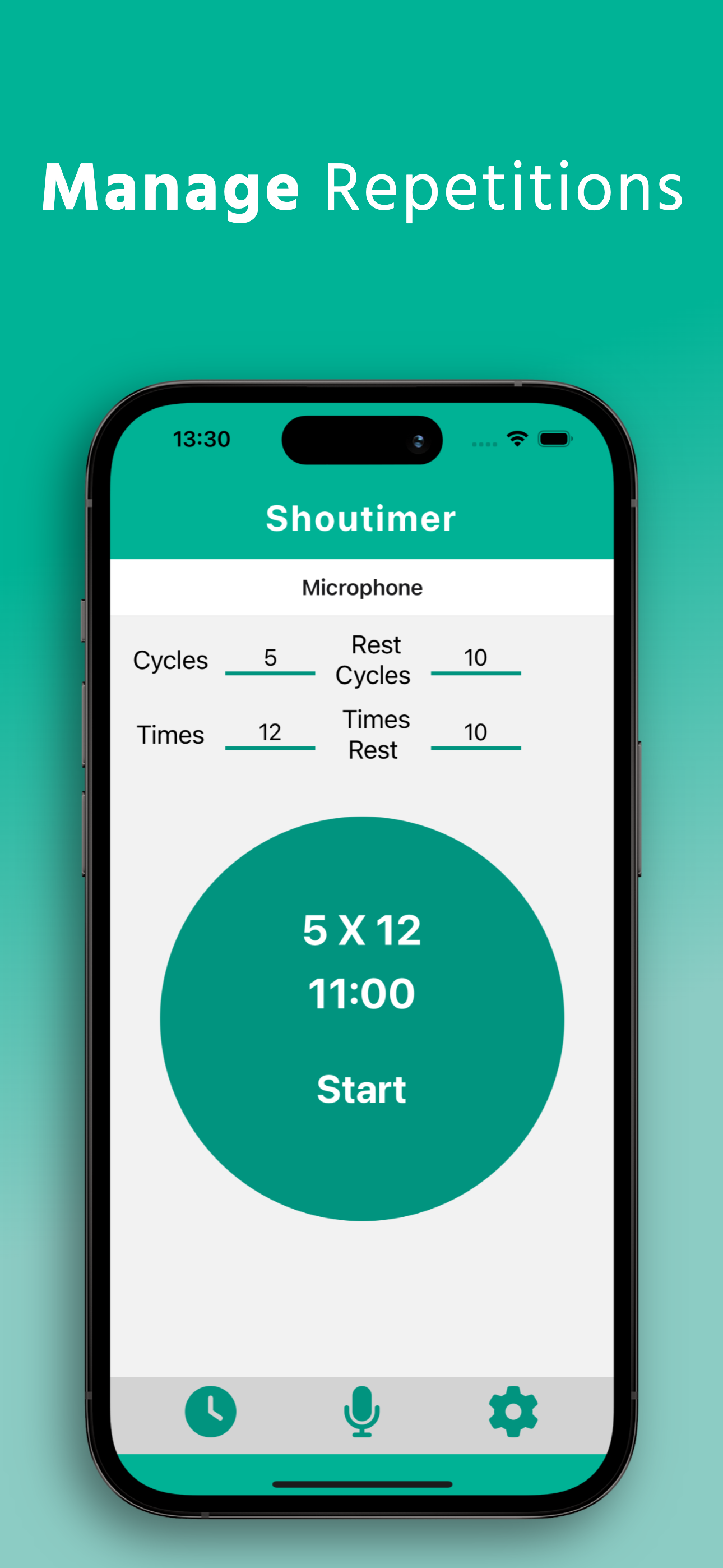
Manage Repetitions screen
4Microphone mode

Perfect for reps & speech practice

Set cycles, rest cycles, times and rest — ideal for speech therapy, language drills, and structured rep work.

Up and running in 3 steps

No complicated setup. Configure your intervals, tap Start, and train.

1
Set Your Intervals
Enter cycles, prepare time, work duration, and rest. Tap Add to queue multiple rounds in sequence.
2
Press Start
The timer kicks off with a preparation countdown. ShoutyTimer announces each phase so you always know exactly where you are.
3
Train Hands-Free
Put the phone down and move. Pause or reset anytime. Swap in custom audio cues to match your style.

Common questions

Can't find your answer? Contact us and we'll help.

When enabled, ShoutyTimer announces the halfway point of your rest period so you can start preparing to work again. Uncheck it for uninterrupted rest.
Yes! Go to Edit Voice and tap any cue (Start, Half, Five Four..., Last One, Tick, 2 More). Pick an audio file from your device. The filename must use English letters only with no spaces.
Microphone mode is designed for repetition-based practice — speech therapy, language learning, etc. Set Cycles, Rest Cycles, Times, and Times Rest to control reps per cycle and between rounds.
Yes. Fill in your first block's values and tap Add. Then configure the next block. ShoutyTimer plays them in sequence automatically.
Check your device isn't on Silent mode. Make sure ShoutyTimer has background audio permission (Settings → ShoutyTimer). If you replaced a sound, confirm the filename uses only English letters with no spaces.
Need help? We're here.

Can't find what you need in the FAQ? Drop us a message and we'll get back to you as soon as possible.

Contact Support

תפריט נגישות